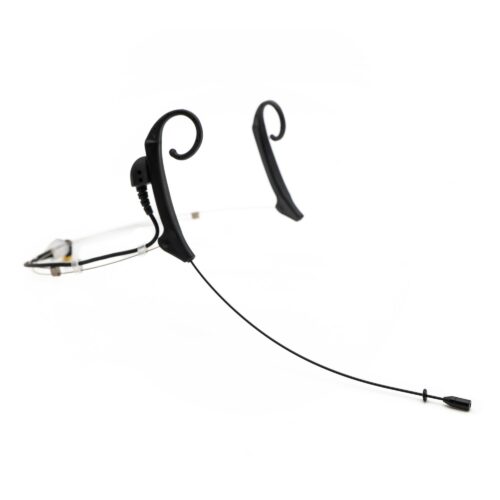
THOR-SHADOW-Head-Worn-Microphone

SHADOW SH20

HEADSET MICROPHONE

SHADOW SH20 HEADSET MICROPHONE

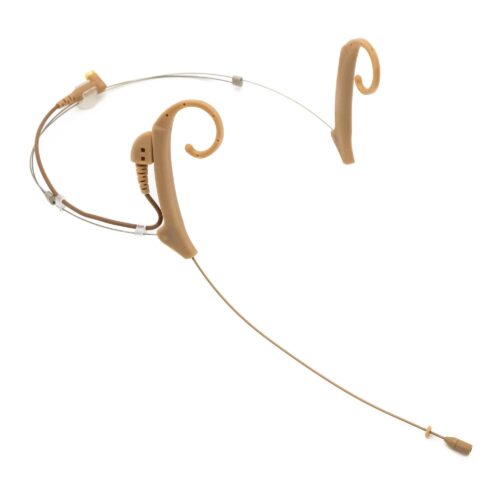
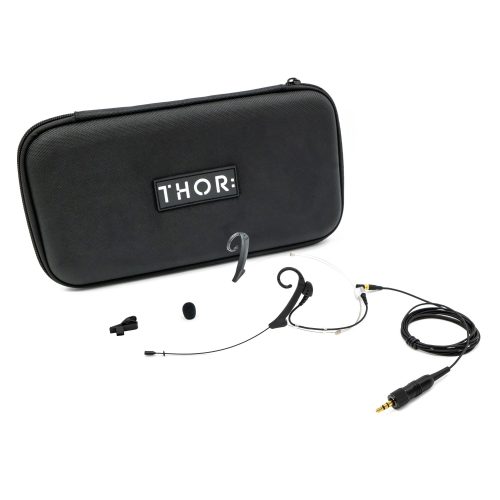
The SHADOW SH20 headworn microphone is built for presenters and professionals who demand crystal-clear sound without compromise. This shift in how headworn microphones are designed offers an ultra-low profile with intuitive usability. Ideal for presenters, broadcast professionals, and performers, the SH20 lives in the shadows so you are able to live in the spotlight.

  • Subminiature Capsule – 3 mm omnidirectional polar pattern for accurate, uncolored sound
  • ReEx® Boom – Retractable & Extendable for a custom fit every time
  • SwivelFit® – Switch effortlessly between left or right ear
  • Ultra-Lightweight – Designed with presenter’s comfort in mind
  • Durable Build – Smart connection points for longer headset life
  • Fast, Easy Fit – Intuitive design for quick setup under show pressure
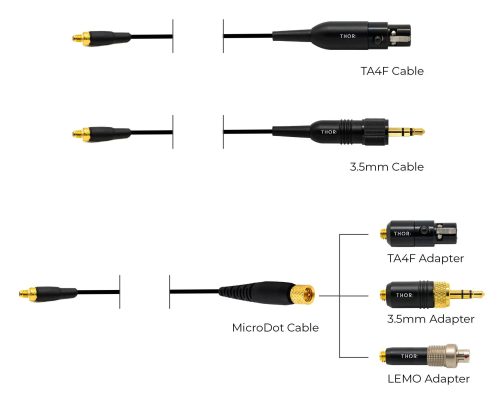
  • Front-of-House Approved – Seamless system integration with molded or MicroDot connector options
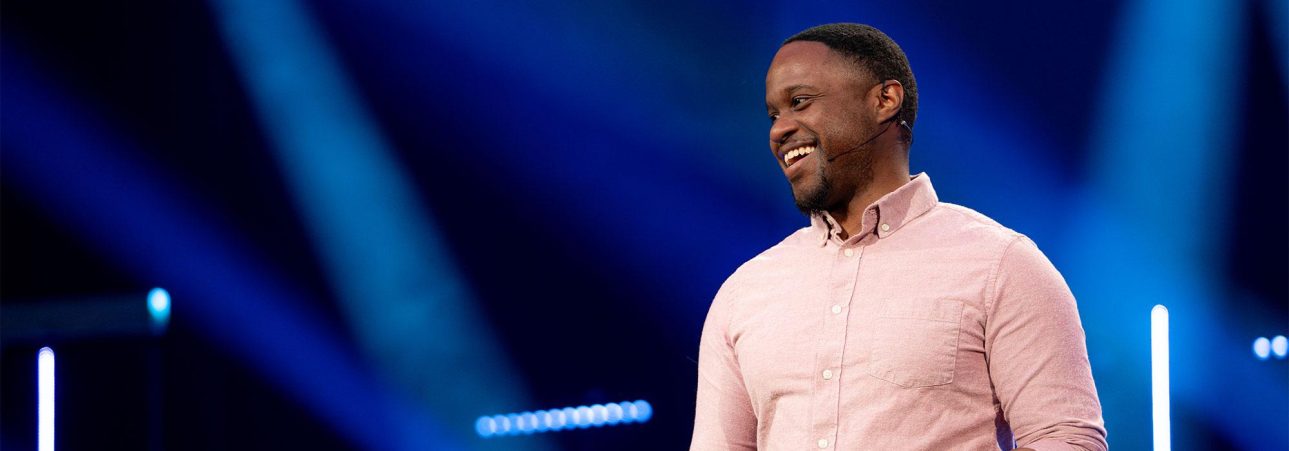
HOUSE
OF WORSHIP

THOR SHADOW Headset Microphone - House of Worship

Clearly communicate your message with high quality sound and minimal feedback.

THEATER
& STAGE

THOR SHADOW Headset Microphone - Theater

Articulate and discreet. Allows audiences to hear every syllable, word, and note.

CONFERENCE
& CORPORATE

THOR SHADOW Headset Microphone - Corporate

Perfect for presentations, panels, and meetings where every word matters.

SHADOW SH20 SPECIFICATIONS

PatternOmnidirectional
Sensitivity, Typical, at 1 kHz-45 dB ± 3 dB ( 0 dB = 1V / Pa @ 1 kHz ) ( RL : 2.2KΩ DC : 3 V )
Frequency Response40 Hz – 20 kHz
Max SPL 1 kHz at <1% THD130.5 dB SPL Peak
Output Impedance2,000 Ω
Equivalent noise32 ~ 34 dB ( A-Weighted )
Weight5 g without cable
StyleReversible dual ear ambidextrous
Boom Length95 mm – 117 mm
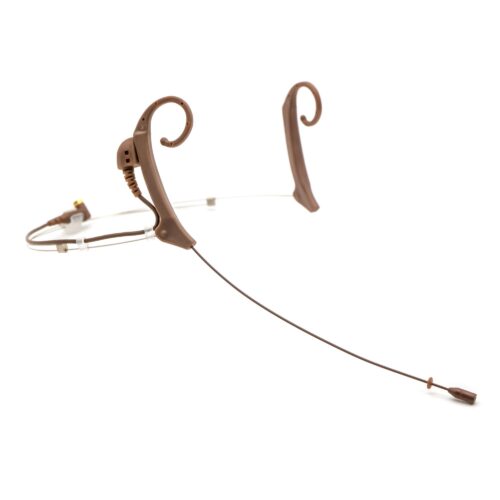
ColorTan, Brown, or Black
Cable Thickness1.4 mm
Capsule Housing3 mm OD x 7 mm
Boom Diameter.7 mm
ConnectorsTA4F
3.5 mm
Microdot – TA4F
Microdot – 3.5 mm
Microdot – LEMO

MORE INFORMATION & DOWNLOADS

SUPPORTED DEVICES

SHADOW SH20 SUPPORTED DEVICES

Find your wireless system below, then choose the matching connector. Be sure to check with your wireless manufacturer for connector type.

TA4F

For TA4M inputs  |  Connector options: TA4F or MicroDot – TA4F

SHURE

  • ULXD1 (TA4M version) ULX-D
  • QLXD1 QLX-D
  • SLXD1 SLX-D
  • UR1 UHF-R
  • UR1M (TA4M version) UHF-R
  • BLX1 BLX
  • GLXD1 GLX-D / GLX-D+
  • PGXD1 PGX-D
  • SLX1 SLX
  • ULX1 ULX

LEMO 3-PIN

For LEMO 3 inputs  |  Connector option: MicroDot – LEMO

SHURE

  • ULXD1 (LEMO3 version) ULX-D
  • UR1M (LEMO3 version) UHF-R
  • AD1LEMO3 / ADX1LEMO3 Axient Digital
  • ADX1M Axient Digital

SENNHEISER

  • SK 6212 Digital 6000
  • SK 6000 Digital 6000
  • SK 9000 Digital 9000
  • SK 5212-II 5000 series
  • EW-DX SK 3-PIN Evolution Wireless Digital
  • SEK Spectera

WISYCOM

  • MTP40S, MTP41S, MTP60, MTP61 (LEMO versions) MTP

SOUND DEVICES

  • A20-Mini A20
  • A20-TX A20

3.5 MM LOCKING

For 3.5 mm locking inputs  |  Connector options: 3.5 mm or MicroDot – 3.5 mm

SENNHEISER

  • EW-DX SK Evolution Wireless Digital
  • EW-D SK Evolution Wireless Digital
  • SK 100 / 300 / 500 G4 Evolution Wireless G4
  • SK 100 / 300 / 500 G3 Evolution Wireless G3
  • SK 100 / 300 / 500 G2 Evolution Wireless G2
  • XSW 1 / XSW 2 SK XS Wireless
  • XSW-D bodypack XS Wireless Digital
  • SL Bodypack DW SpeechLine Digital
  • AVX SK AVX

Don't see your system? Contact THOR and we'll help you find the right connector.

FAQS

SHADOW SH20 FAQs

What type of mic is the ShadowOmnidirectional dual ear headworn mic
What type of mic connectors are availableTA4F
3.5mm
MicroDot – TA4F
MicroDot – 3.5mm
MicroDot – LEMO
Be sure to check with your wireless manufacturer for connector type.
What colors are availableTan, Brown, & Black
Is the Shadow microphone able to be worn on the left or right sideYes
Will the LEMO adapter work with my system
LEMO 3 pin adapter supports:
Shure ULXD1, AD1, ADX1, ADX1M
Sennheiser EW-DX SK, SK 9000, Spectra
Sound Devices A10, A20, A20-Mini
Are there replacement parts for the SH20Yes, replacement parts can be purchase from one of our online retailers or dealers
What are some ways to optimize the performance of your micAdjust the gain accordingly on the microphone channel on your audio console. Position the mic capsule close to the user’s face and directed just below the corner of the mouth to avoid plosives. Tweak the channel EQ as needed based on uniqueness of the room and how your audio system is EQ’d. Dedicating one microphone for each user prolongs the performance life.
Can I paint the Shadow SH20Yes, it is even safe to paint with alcohol markers


TROUBLESHOOTING

SHADOW SH20 TROUBLESHOOTING

I hear a hiss, popping, or white noiseMicrophone capsule placement should be just below the corner of the mouth for best audio performance. This reduces popping.

Use the optional windscreen to reduce breath or hiss. If it is more than this, there may be a loose cable at the connector, either by the ear hook or the belt pack.

The Mic cap may be loose and amplify the slight capsule movements. Mute the mic and then gently and firmly tighten the cap.

I have feedback consistentlyAll sound systems are tuned specifically to the room. Each channel on your audio mixing console further customizes the sound for each input. On the microphone channel, try using a high pass filter (HPF). This allows only the higher frequencies to be heard. Additionally, try slightly decreasing the EQ frequencies between 300-500Hz. Other frequencies to decrease may be in the 5-10kHz range.